Introduction # If you rigorously follow DRY (Don’t Repeat Yourself), and you should, then you’ll eventually have to think about “Big Picture DRY”. This all about avoiding repeating yourself in different projects, and different parts of projects. Not just within a single class or module of an application.
Introduction # TableView is an extremely popular control, but it’s also probably the most complex and least understood. This article is about how to manage the styling aspects of TableView, but it would help if you understood the basics. This page has several articles that explain how to create and customize TableViews in your layouts. If you are not comfortable with CSS in JavaFX and the Modena stylesheet, this page has articles that can help you.
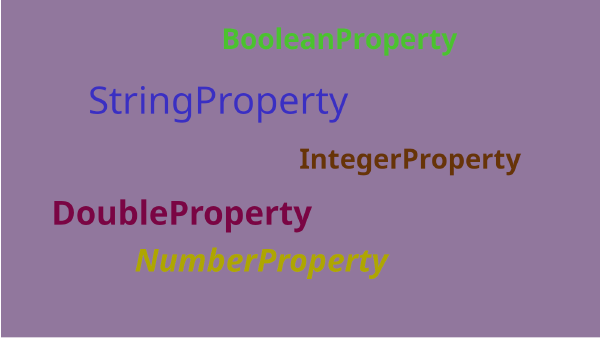
If you are a beginner with JavaFX and are wondering, “What are all these Property things anyway?”, then this is the article for you. Besides the Properties themselves, we also cover the basics of using them with Bindings and Listeners. Read this article and you should have a good idea how to start out with JavaFX Properties.
This article is about the all of the typed observable classes and interfaces except the ones concerned with List.
You’ll find that all of the relationships and structure found in the generic classes is just about exactly the same, but then there are a few extra classes and interfaces added to the hierarchy depending on the type of data that they hold. We’ll concentrate mostly on two types, String and Integer here, because dealing with the others would just be redundant. String is typical of stand-alone types, and Integer is typical of types that are included in Number.
Introduction # After literally a decade writing JavaFX applications, it can be hard to remember how I thought things were supposed to be done when I started out. Thankfully, there seems to be a nearly endless supply of beginners having trouble, posting their code and giving us a glimpse into their thought processes.
Introduction # It’s 2024, and people are starting to get the idea that you really need to use a build engine like Maven or Gradle with your Java projects. It will handle your dependencies, and do all the organization work that you need with your project.
Introduction # A while back, there was a question posed on StackOverflow.com that asked about how to run parallel processing to speed up the rendering of a Mandelbrot set in a JavaFX application. Presumably, the core problem was the the rendering was taking too long and the OP was looking for a way to speed it up.
Here’s a sample application that uses a ListView to display and edit bytes in a data file, showing the values in hex, octal, binary, decimal and as characters.
Introduction # This is the second article in a series that started with Understanding ListView. If you’re new to ListView you might want to take a look at that article first, as it explains some important concepts about how ListView works, and we’ll be building on that information in this article.
Introduction # My first year university programming course, way back in the 1980’s, was in Pascal. We were forbidden to use GOTO statements in our assignments:
Introduction # In JavaFX, ListViews are everywhere. They’re used as the pop-up in ComboBoxes and some other controls, so many programmers are familiar with them even if they haven’t directly used ListView. Most programmers, however, never go very deep into understanding ListView, they’ll simply create an ObservableList of String and then stuff it into a vanilla ListView to put a scrolling list on the screen. To do anything more interesting, they’ll jump over to TableView instead.
Introduction # Once you’ve mastered the basic components of TableView layout and you try do something in the real world, you’ll inevitably run up against data that doesn’t seem to work nicely with TableView. We’re going to look at how to wrestle with real world data and how you can work effectively with it in your TableViews. The approach that we’re going to take is to try to understand how data moves into your TableView, and that really boils down to understanding how it gets into your TableCells.
Introduction # For some reason, tables (so in JavaFX, TableView) are one of the first elements that programmers want to include in their screens. Yet at the same time, they are one of the more complicated screen elements and the concepts behind them are a bit more advanced than most beginners are ready to handle.
Introduction # We’re all familiar with Dialog boxes, they pop up with some important information, ask you, “Are you sure?”, let us pick a file, or make some other important decision before processing can continue. In the beginning, JavaFX didn’t have Dialogs and we were left to cook up our own solutions or use third party libraries. But they were added around JavaFX 8, and work quite well.
Why? # Most of the tutorial articles I’ve written here have been of the “deep dive” nature. I try to go way beyond the information available in the JavaDocs, and to give some insight into how to get the most out of the tools that JavaFX provides. These articles tend to be on the long side, Jekyll tells me that they average about 13 minutes of reading, and there’s usually lots of code examples and pontification about clean coding and on and on.
This article contains all of the information you need to get started with cascading stylesheets in JavaFX.
Maybe you’ve figured out how to build a working GUI that looks good. Now, how do you connect it to the rest of the world and make it do something?
Introduction # Hex Maps, or hex boards are a popular platform for tabletop games, especially wargames and Role Playing Games. They are uniquely useful because hexagons fit nicely into a grid and there are 6 directions from each hexagon (or just, “hex”), compared to just 4 with a grid made up of squares.
The original Wordle is JavaScript in a browser, here’s an implementation of it in Reactive JavaFX written in Kotlin.
How much code does it take to build a complete Hangman game in JavaFX?
It turns out … Not much!
A more in-depth look into how to build a TextFormatter that can be used to turn a TextField into sophisticated input field. We’ll look at designing a TextFormatter that is tailored to handle fixed place decimal input, using the decimal point itself as a control to toggle between the ordinal and mantissa of the number.
An introduction to TextFormatter, showing you how to integrate it into a TextField and how to use it to convert the input from String to some other kind of value. Then we’ll look at how to add a filter to prevent the user from entering invalid data.
MineSweeper! Everyone’s favourite time-waster Windows game. Implemented in JavaFX showing how the reactive nature of JavaFX can be used with MVC to create a game.